
Best DWG CAD Software for Small Businesses: Is progeCAD 2026 a Good Choice?

Best DWG CAD Software for Small Businesses: Is progeCAD 2026 a Good Choice?
Choosing the best DWG CAD software for small businesses is an important decision for companies that depend on technical drawings, engineering designs, architectural plans and project documentation. The right CAD application should provide the tools your team needs while keeping software costs, training time and workflow interruptions under control.
For small businesses, buying CAD software is not simply about choosing the application with the most features. It is about finding a practical solution that supports existing drawing formats, handles everyday design tasks and fits the company's budget.
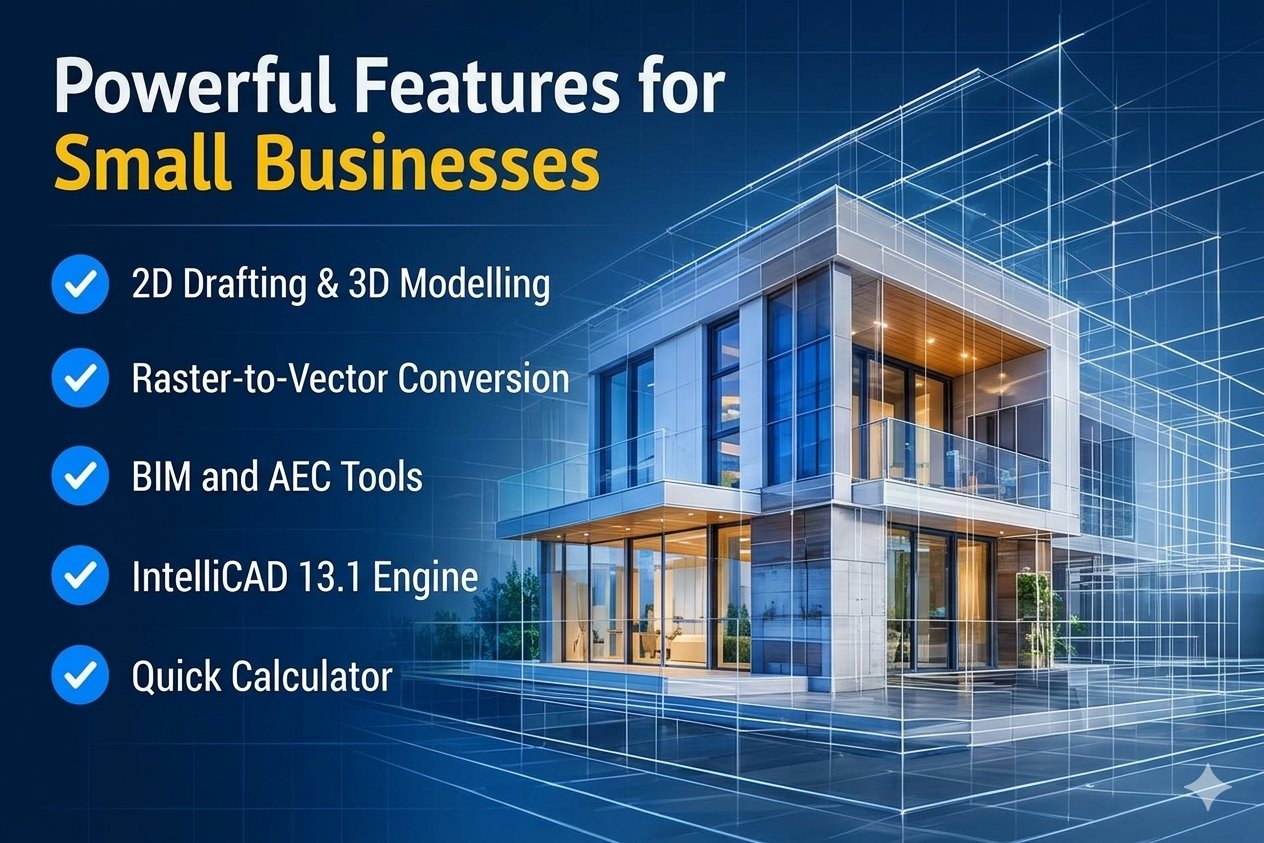
One option worth considering is progeCAD 2026 Professional. It is a DWG/DXF-native 2D and 3D CAD application built on the IntelliCAD 13.1 engine. It supports familiar CAD commands and interfaces, along with additional tools for raster drawing, architectural design, BIM-related workflows and mechanical design.
But is progeCAD 2026 a good choice for a small business? In this guide, we will explore its features, advantages, applications, licensing considerations and the factors businesses should evaluate before making a decision.
1. Why Do Small Businesses Need the Right DWG CAD Software?
Small businesses often work with limited budgets and smaller design teams. They need CAD software that helps employees complete projects efficiently without adding unnecessary operating expenses.
Many businesses already receive DWG drawings from clients, architects, engineers, contractors and other design professionals. Therefore, compatibility with commonly used drawing formats is an important requirement.
The right DWG CAD software should offer:
- DWG and DXF compatibility: Open, create, edit and save technical drawings.
- Essential 2D drafting tools: Create plans, sections, elevations, layouts and detailed drawings.
- 3D design capabilities: Support modelling and visualisation where required.
- Familiar commands: Reduce the time employees spend learning a completely different CAD environment.
- Practical licensing: Match the company's number of users and working arrangements.
- Reliable performance: Handle the size and complexity of drawings used in everyday projects.
- Useful file exchange: Work with the formats required by clients, suppliers and project partners.
A CAD application that meets these requirements can help a small business maintain a consistent design workflow.
2. What Is progeCAD 2026 Professional?
progeCAD 2026 Professional is a professional CAD application designed for 2D drafting, 3D modelling and DWG-based design workflows.
It uses DWG as its native drawing format and supports AutoCAD DWG versions from 2.5 through 2026, according to the 2026 product brochure. This makes it relevant for businesses that exchange drawings with customers and other professionals using DWG-based CAD applications.
The software also offers Classic and Ribbon interfaces with familiar CAD commands. This can make the transition easier for users who already have experience with AutoCAD-style drafting environments.
Some of its key capabilities include:
- 2D drafting and technical documentation
- 3D modelling and solid editing
- DWG and DXF file support
- Dynamic Blocks (Advanced Blocks)
- PDF-to-DWG conversion
- Raster image editing and vectorisation
- AEC architectural tools
- BIM and IFC-related file workflows
- Mechanical design file exchange
These capabilities make progeCAD 2026 worth evaluating for businesses that need a general-purpose CAD application rather than a specialised tool for only one type of design work.
3. Important progeCAD 2026 Features for Small Businesses
The value of CAD software depends on how its features support real project requirements. Here are some progeCAD 2026 capabilities that may be useful to smaller design and engineering teams.
A. Native DWG and DXF Compatibility
DWG compatibility is one of the most important considerations when selecting CAD software. progeCAD 2026 works with DWG and DXF drawings, allowing users to create, open, edit and save drawings in widely used CAD formats.
This is useful for businesses that regularly:
- Receive DWG drawings from customers.
- Modify existing engineering or architectural drawings.
- Share design files with external consultants.
- Maintain drawing libraries for future projects.
- Exchange technical documentation with contractors.
Working with native DWG files can help reduce unnecessary file-conversion steps. However, businesses should test their own drawings, fonts, external references, custom objects and plot settings before migrating an entire workflow.
B. 2D Drafting and Technical Drawing
2D drafting remains essential for many small businesses. Architectural firms, fabrication companies, engineering consultants and contractors use technical drawings to communicate design details and project requirements.
progeCAD 2026 provides tools for:
- Lines, polylines and geometric shapes
- Dimensions and annotations
- Layers and drawing organisation
- Blocks and reusable drawing elements
- Layouts and plotting
- Editing and modifying existing DWG drawings
These tools can support everyday drafting activities without requiring a specialised application for each basic drawing task.
C. 3D Modelling and Design
Some small businesses need more than 2D drafting. They may also work with mechanical components, product concepts, equipment layouts and architectural models.
progeCAD 2026 includes 3D modelling capabilities that can help users create and edit three-dimensional design elements.
Depending on the project, these tools can support:
- Basic 3D geometry creation
- Solid modelling and editing
- 3D visualisation
- Design modifications
- Technical model preparation
For companies that regularly work with complex assemblies or specialised simulation requirements, it is important to check whether the available tools meet those specific needs.
D. Raster Draw and Raster-to-Vector Conversion
One of the notable additions in progeCAD 2026 is the Raster Draw toolset. Small businesses sometimes receive scanned drawings, old paper plans or raster images that cannot be edited like normal CAD objects.
Raster Draw provides tools for image editing, cleanup, transformation and raster-to-vector conversion. Its AI-based vectorisation feature can convert suitable image content into basic CAD entities, including polylines and circles.
This can be useful when:
- Updating older engineering drawings.
- Working with scanned architectural plans.
- Recreating selected elements from raster drawings.
- Preparing image-based technical references for CAD editing.
The quality of the conversion depends on the source image, its resolution, contrast and drawing complexity. Converted geometry should always be checked and corrected before being used for production work.
E. Improved Performance with IntelliCAD 13.1
Performance matters when employees work with large or detailed CAD drawings. progeCAD 2026 introduced the IntelliCAD 13.1 engine, with performance improvements documented by progeSOFT.
The published figures include:
- Drawing updates up to 2 times faster.
- Opening DWG drawings containing 3D solids up to 10 times faster.
- Drawing regeneration up to 1.5 times faster.
- Faster view changes and improved performance when working with large drawings.
These are vendor-reported improvements, not guaranteed results for every computer or project. Actual performance will depend on hardware, drawing complexity and working conditions.
F. Quick Calculator and Productivity Tools
Small improvements in daily drafting activities can save time over the course of a project. progeCAD 2026 includes a Quick Calculator in the Properties palette. It supports basic calculations, geometric functions, unit conversions and variables.
This can help CAD users make calculations while working with drawing properties instead of repeatedly switching between applications.
G. BIM and Mechanical Design Workflows
Some small businesses work with different design disciplines and need to exchange information with other applications.
progeCAD 2026 supports BIM-related file workflows, including Revit and IFC import capabilities, as well as mechanical design file exchange involving formats such as STEP, IGES and SolidWorks.
These features can be useful for businesses involved in architectural design, engineering coordination and mechanical projects. Import support does not mean every object or feature will behave identically to its original application. Always test representative project files before relying on an import workflow.
4. Which Small Businesses Can Benefit from progeCAD 2026?
progeCAD 2026 may be worth considering for several types of small businesses.
Architectural Firms
Create floor plans, elevations, sections, construction drawings and other architectural documentation. AEC tools can also support relevant architectural workflows.
Mechanical Engineering Companies
Prepare component drawings, technical layouts and 3D models. File exchange capabilities can be useful when working with supported mechanical design formats.
Civil Engineering and Consulting Firms
Work with site layouts, technical drawings, project documentation and existing DWG files.
Interior Design Businesses
Prepare space plans, furniture layouts, detailed drawings and design documentation.
Manufacturing and Fabrication Companies
Create and modify component drawings, fabrication details and production-related CAD documentation.
The best fit depends on the company's actual drawing requirements, file-exchange needs and the complexity of its projects.

5. How Can progeCAD 2026 Help Small Businesses Control CAD Costs?
CAD software expenses can become significant for a business with multiple employees. Companies should consider not only the initial purchase price but also ongoing licensing costs, upgrades, training and support.
A perpetual licence is one licensing model worth evaluating. progeCAD has offered perpetual licensing options, allowing customers to purchase a licence without being required to renew an annual software subscription.
Potential benefits include:
- More predictable software expenses: The business can plan around an upfront licence purchase.
- No mandatory annual subscription renewal: A perpetual licence does not require an annual subscription simply to retain the purchased version.
- Flexible purchasing decisions: Companies can evaluate whether and when to upgrade.
- Team licensing options: Businesses can investigate standalone or network licensing depending on their requirements.
Remember that perpetual licensing does not automatically include every future version upgrade or support service. Confirm the exact licence terms before purchasing.

6. progeCAD 2026 vs Traditional Subscription-Based CAD Software
When comparing CAD applications, small businesses should look beyond the software name and consider the features, compatibility and licensing model.
| Comparison Factor | progeCAD 2026 | What a Small Business Should Evaluate |
|---|---|---|
| DWG workflow | Native DWG-based CAD | File compatibility with existing projects |
| 2D drafting | Supported | Required drafting commands and tools |
| 3D modelling | Supported | Required modelling complexity |
| Interface | Classic and Ribbon | User familiarity |
| Raster-to-vector | Raster Draw tools | Quality on actual scanned drawings |
| BIM workflows | Revit and IFC import support | Required data and object compatibility |
| Licensing | Perpetual licensing options | Total ownership and upgrade costs |
There is no single CAD application that is best for every company. A business should compare the actual features it uses rather than choosing software based only on the number of tools advertised.
7. What Should You Check Before Choosing progeCAD 2026?
Before purchasing any CAD application, it is important to evaluate how well it works with your existing projects.
- Open several existing DWG drawings.
- Check fonts, dimensions, layers and line types.
- Test external references and attached images.
- Verify printing, plotting and PDF output.
- Test the commands and custom routines your employees use.
- Check Dynamic Blocks and other specialised drawing elements.
- Import representative BIM or mechanical files if required.
- Review the hardware requirements for your project workload.
- Confirm the available licence types and upgrade terms.
- Check technical support and training availability.
Do not test only a simple drawing. Use real project files with the same complexity as your daily work. This helps identify possible compatibility or workflow issues before your business makes a purchasing decision.
8. Is progeCAD 2026 Still Worth Considering in 2026?
Since progeCAD 2027 is now available, businesses researching progeCAD 2026 should understand the difference between choosing an existing version and purchasing the newest release.
progeCAD 2026 can still be relevant when a company:
- Already uses the 2026 version.
- Needs to maintain an existing 2026-based workflow.
- Has a specific requirement for that release.
- Is evaluating older project environments.
- Wants to compare the features and licensing options of different releases.
However, businesses purchasing CAD software for the first time should also evaluate progeCAD 2027. The newer release may offer features or improvements that are important to their workflow. Check the availability, price, licence conditions and support period for the exact version you intend to purchase.
Our suggestion: Compare both releases using your actual DWG files and daily CAD tasks before making a final decision.
9. How to Choose the Right CAD Licence for Your Small Business
The appropriate licence depends on how many people use the software and where they work.
Standalone Licence (SL)
A standalone licence is intended for an individual user working on one computer at a time. It may suit a freelancer, independent designer or small business employee with a dedicated workstation.
Network Licence (NLM)
A Network Licence allows licensed access to be managed across computers on a network. This may suit a business where multiple employees share access to CAD software, subject to the licence's concurrent-use limits and configuration requirements.
Before purchasing, confirm the number of licences required, installation conditions, activation rules and whether the licence supports your intended working environment.
10. Final Verdict: Is progeCAD 2026 a Good Choice for Small Businesses?
progeCAD 2026 is worth considering for small businesses that need a professional DWG-based CAD application for 2D drafting, 3D modelling and technical documentation.
Its native DWG workflow, familiar interface, Raster Draw tools, IntelliCAD 13.1 engine and additional design capabilities make it a practical candidate for businesses that want to evaluate alternatives to more expensive CAD solutions.
However, the right choice depends on your projects. A small architectural office may prioritise AEC and BIM workflows, while a mechanical design company may focus on 3D modelling and supported file formats.
Before investing, test the software with your actual drawings and compare the licence conditions with your business requirements.
If you are considering a new CAD application, also compare the available progeCAD 2027 release so that you can make an informed long-term decision.
Frequently Asked Questions
1. What is the best DWG CAD software for small businesses?
The best DWG CAD software depends on your drawing requirements, budget, team size and file compatibility needs. progeCAD, AutoCAD and other DWG-compatible applications are options worth comparing.
2. Is progeCAD 2026 suitable for small businesses?
Yes, it can be suitable for businesses that need 2D drafting, 3D modelling, DWG compatibility and technical documentation tools. Its suitability depends on the complexity of your projects and required workflows.
3. Does progeCAD 2026 support AutoCAD DWG files?
Yes. The progeCAD 2026 product brochure documents compatibility with AutoCAD DWG versions 2.5 through 2026. Businesses should still test their own drawings, especially when they contain specialised objects or custom components.
4. Can progeCAD 2026 be used for both 2D and 3D design?
Yes. progeCAD 2026 supports 2D drafting and 3D modelling, making it useful for various architectural, engineering and general CAD applications.
5. Does progeCAD 2026 include raster-to-vector conversion?
Yes. Its Raster Draw toolset includes image editing, cleanup, transformation and AI-based raster-to-vector conversion features.
6. Does progeCAD offer perpetual licensing?
progeCAD has offered perpetual licensing options. The exact terms, upgrade eligibility and support arrangements should be confirmed with the authorised seller before purchase.
7. Is progeCAD 2026 better than AutoCAD?
Neither application is automatically better for every user. Compare the features you need, file compatibility, custom routines, licensing costs and support before choosing. Testing your actual drawings is the best way to evaluate suitability.
8. Should I choose progeCAD 2026 or progeCAD 2027?
If you need a specific 2026 environment, evaluate progeCAD 2026. If you are purchasing for a new workflow, compare it with progeCAD 2027 and consider the newer release's features, price and support conditions.
Choose the Right CAD Software for Your Business
Finding the right CAD software is about more than reducing the purchase cost. It is about improving everyday drafting, maintaining drawing compatibility and helping your team complete projects efficiently.
progeCAD offers a range of tools for professional 2D drafting and 3D design. If you are considering it for your business, explore the available versions, compare the licensing options and test the software with your existing DWG drawings.
Explore professional CAD solutions with ProgeCAD India.