Free 15-day trial · every tool unlocked

ProgeCAD 2027 download
full version for India

An unrestricted 15-day trial of ProgeCAD Professional 2027 — no watermarks, no save limits, no credit card. Your download link appears the moment you submit.

  • ★★★★★ 4.6/5 across 600+ reviews
  • In India since 2010
  • GeM registered seller
  • Lifetime licence from ₹20,000
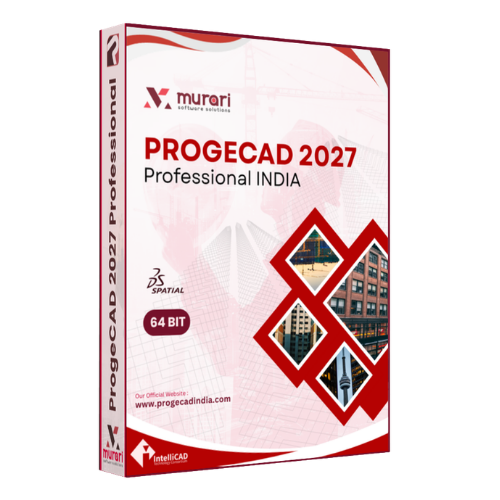
ProgeCAD Professional 2027 product box - DWG CAD software download for Windows

Download ProgeCAD 2027

Email and mobile is all we need - the link appears right here.

No credit card. Your download link appears here and is emailed to you. Protected by reCAPTCHA.

SSL secured Digitally signed EXE No spam, ever GeM registered

System requirements

OSWindows 10 / 11
CPU64-bit, 2 GHz+
RAM8 GB or above
Graphics1 GB+ recommended
Disk5 GB free
InstallerSigned .EXE

What the trial gives you

The trial is the full product. Nothing is held back for 15 days.

01

Native DWG, no conversion

Open, edit and save DWG and DXF from R12 through the latest release. Your consultants never know you switched.

02

Full 2D drafting suite

Command line, dynamic blocks, layers, xrefs, layouts, annotative scaling — the drafting muscle memory carries straight over.

03

3D modelling & rendering

ACIS solid modelling powered by Spatial, plus a built-in render engine for presentation-quality output.

04

PDF to DWG conversion

Turn scanned or vector PDFs back into editable CAD geometry — included, not a paid add-on.

05

Point clouds, IFC & BIM

Import IFC models and point-cloud scans to work alongside your architectural and MEP teams.

06

LISP, SDS and VBA

Your existing routines and in-house automation keep working — no rewrite, no lost productivity.

From form to first drawing in four steps

Most people are drafting inside ten minutes.

1

Request the link

Enter your email and mobile above. The download link is shown instantly and emailed as a backup.

2

Run the signed installer

Launch the .EXE as Administrator. If antivirus intervenes, allow it — the file is digitally signed.

3

Activate the 15-day trial

Choose the trial option at first launch. All features unlock immediately; no licence key needed yet.

4

Buy without reinstalling

When you are convinced, buy a perpetual licence and activate the same installation in place.

Looking for an earlier release?

Older ProgeCAD installers stay available for customers running legacy licences.

FAQs

ProgeCAD download questions

Downloading, installing, activating and licensing — answered.

Is the ProgeCAD 2027 download free?
Yes. You can download the ProgeCAD 2027 free trial and use every available feature for 15 days, so you can evaluate the software fully before buying a commercial licence.
How do I download ProgeCAD 2027?
Fill in the short form on this page. The secure download link appears on screen straight away and is also emailed to you with the installation instructions.
Is the ProgeCAD installer safe?
Yes. The official installer is digitally signed and served over an SSL-protected connection. Always download ProgeCAD from an authorised source such as this site.
Does the ProgeCAD trial include all features?
Yes. The trial carries the complete feature set — 2D drafting, 3D modelling, native DWG compatibility, PDF import and export, and all professional CAD tools. There are no watermarks and no save limits.
Which Windows versions are supported?
ProgeCAD supports Windows 10 and Windows 11 (64-bit). For the best experience use a 64-bit processor, 8 GB RAM and a DirectX-compatible graphics card.
Can ProgeCAD open AutoCAD DWG files?
Yes. ProgeCAD works directly with native DWG and DXF files, so you can open, edit, save and share drawings without converting them and without breaking industry-standard CAD workflows.
Do I need an internet connection after installation?
An internet connection is needed to download the installer and activate the software. Once activated, ProgeCAD can generally be used offline for everyday CAD work.
How long is the ProgeCAD free trial?
The free trial runs for 15 days from the date of activation — enough time to test it against your own drawings and workflows.
Will I receive the download link immediately?
Yes. The link is shown on this page the moment you submit the form, and a copy reaches your registered email within a few minutes.
What are the system requirements for installing ProgeCAD?
Windows 10 or Windows 11 (64-bit), an Intel or AMD processor, at least 8 GB RAM, DirectX-compatible graphics and roughly 5 GB of free disk space are recommended.
What is the ProgeCAD installer file format and download size?
ProgeCAD ships as a digitally signed Windows (.EXE) installer. The size varies by release, so allow for a stable connection and sufficient free storage before you start.
Is ProgeCAD India different from the international version?
The software features are identical worldwide. Licensing, however, is region-specific: ProgeCAD India licence keys are for the Indian edition, international keys for the international edition.
Can I purchase a licence after the trial expires?
Yes. When the trial ends you can buy a commercial licence and activate your existing installation — there is no need to reinstall or redraw anything.
Who should use ProgeCAD?
Architects, civil and mechanical engineers, construction professionals, designers, manufacturers, students and anyone who needs professional DWG-compatible CAD software at a sensible price.
Can I install ProgeCAD on more than one computer?
That depends on the licence type. Single-user and network licences have different activation policies — talk to us and we will size the licence to your team.
Do I need to uninstall an older version before installing ProgeCAD 2027?
No. In most cases ProgeCAD 2027 installs alongside older releases, so you can keep using a previous version while you migrate.
What should I do if the ProgeCAD installer doesn't start?
Check that the download completed, run the installer as Administrator, confirm your system meets the minimum requirements, and temporarily disable antivirus software if it is blocking the setup.
Can I transfer my ProgeCAD licence to another computer?
Yes. Licences can generally be transferred under the ProgeCAD licensing policy — follow the activation and deactivation steps supplied with your licence.
Where can I get technical support after downloading ProgeCAD?
Support comes from ProgeCAD India directly. Keep your product and licence details handy when you contact us and we will take it from there.

Ready to own your CAD instead of renting it?

A perpetual ProgeCAD licence costs less than a year of subscription CAD — and it never expires.