
Blog · 06-Sep-2025
How to Manage Big Fonts in ProgeCAD
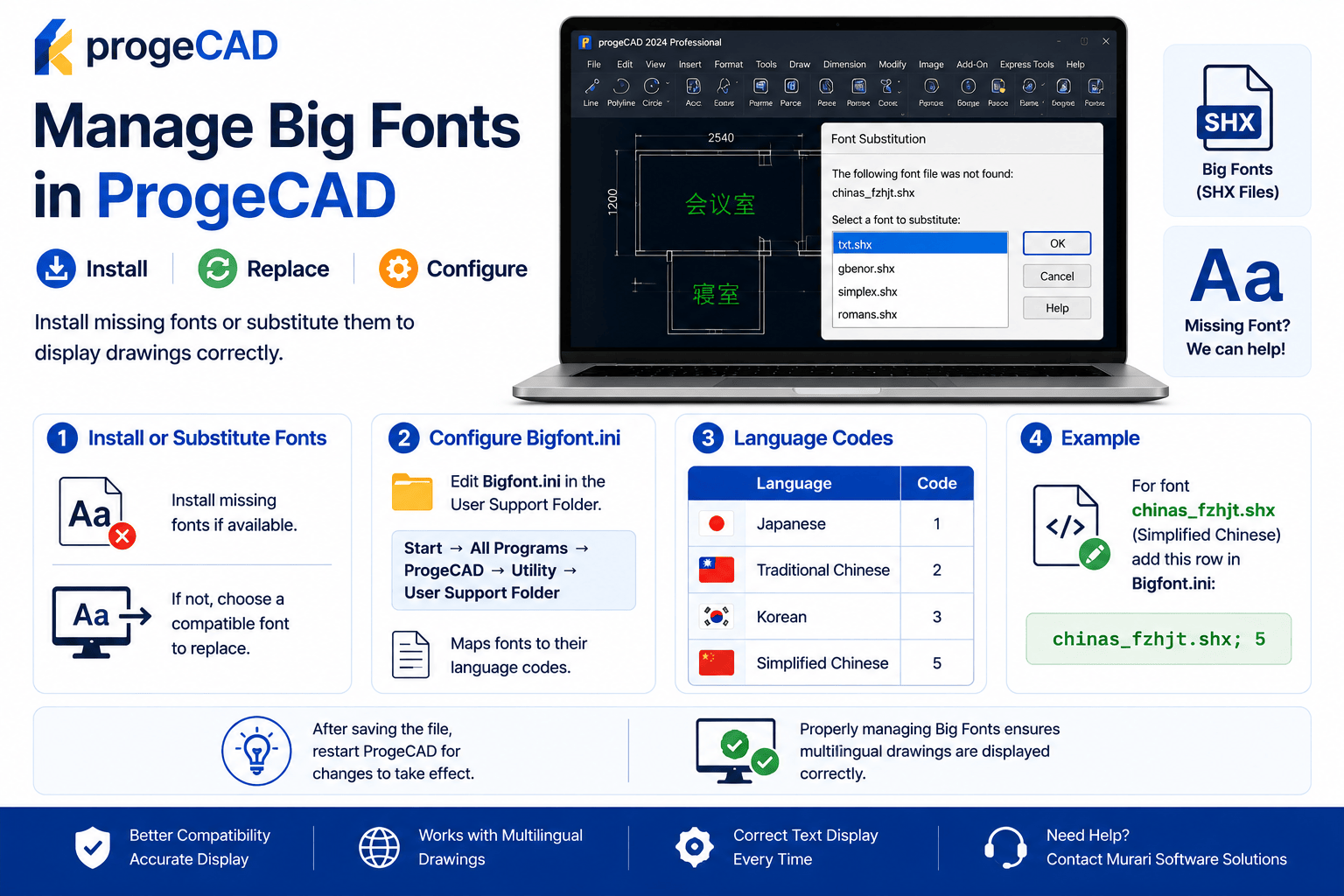
Manage Big Fonts in ProgeCAD
If a drawing uses a font that is not installed on your computer, ProgeCAD will display a font substitution dialog. You can install the missing font or choose a compatible replacement to display the drawing correctly.
Install the Missing Font
For the best results, install the original SHX or Big Font used in the drawing. Once installed, reopen the drawing to view the text correctly.
Use Font Substitution
If the original font is unavailable, ProgeCAD allows you to select a compatible substitute font during the drawing opening process.
Configure Bigfont.ini
To properly manage Big Fonts, edit the Bigfont.ini file located in the User Support Folder and map the font to the correct language code.
Benefits
- Displays multilingual drawings correctly.
- Supports SHX and Big Fonts.
- Improves drawing compatibility.
- Prevents missing text issues.