
ProgeCAD 2014 Highlights and Features
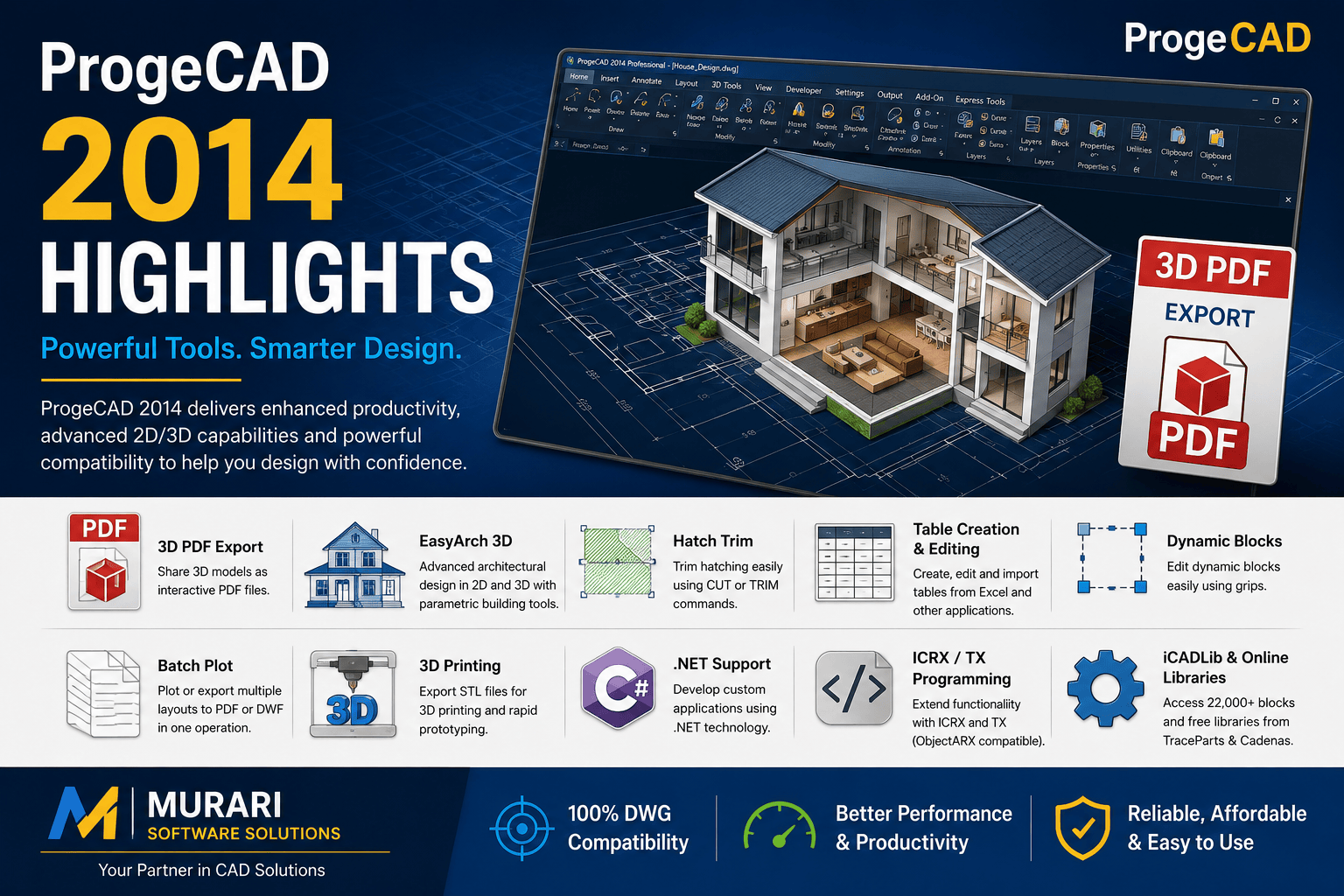
ProgeCAD 2014 Highlights and Features
ProgeCAD 2014 introduced several important enhancements that improved drafting, architectural design, 3D modeling, and DWG compatibility. Designed for engineers, architects, designers, and CAD professionals, this version added productivity tools that simplified everyday workflows while maintaining native support for DWG files.
Whether you work on 2D drafting, 3D visualization, or architectural projects, ProgeCAD 2014 offers a wide range of professional features at an affordable cost.
Key Features of ProgeCAD 2014
3D PDF Export
One of the standout additions in ProgeCAD 2014 is the ability to export DWG models directly to interactive 3D PDF files. This allows engineers, architects, and clients to view and share 3D designs without requiring CAD software, making collaboration easier across teams.
EasyArch 3D Module
The enhanced EasyArch 3D module provides a faster way to create architectural drawings using intelligent parametric objects. Users can quickly generate walls, doors, windows, roofs, stairs, and other building components while automatically producing both 2D plans and 3D models.
- Automatic 2D and 3D synchronization
- Metric and Imperial unit support
- Parametric architectural objects
- Easy editing and modification
- Ideal for residential and commercial building design
Hatch Trim Command
The improved Hatch Trim functionality allows users to trim hatch patterns quickly using the CUT and TRIM commands. This makes editing complex hatch areas much easier while maintaining drawing accuracy.
Table Creation and Editing
ProgeCAD 2014 introduced powerful table management capabilities. Users can create, edit, and import tables directly from Microsoft Excel, LibreOffice, OpenOffice, and other spreadsheet applications. Tables can also be generated automatically using block attributes.
Dynamic Block Editing
Dynamic Blocks can now be edited directly using grip points, allowing users to resize and modify block geometry without recreating the block. This significantly improves drafting productivity.
Batch Plot
The Batch Plot feature enables printing or exporting multiple layouts from one or several drawings into PDF or DWF format using predefined print settings. This saves valuable time when handling large drawing sets.
3D Printing Support
ProgeCAD 2014 includes support for exporting STL files for 3D printing. Designers can easily prepare CAD models for rapid prototyping and manufacturing workflows.
.NET Development Support
Developers can extend ProgeCAD functionality using the Microsoft .NET Framework, making it easier to create custom CAD applications, automation tools, and workflow integrations.
ICRX Programming Support
ProgeCAD supports TX and ICRX programming technologies, providing compatibility for developers migrating applications from other major CAD platforms.
Built-in CAD Block Library
The integrated iCADLib library contains more than 22,000 ready-to-use CAD blocks. Users also receive access to TraceParts and CADENAS catalogs, allowing quick insertion of manufacturer components and standard mechanical parts into their drawings.
Additional Benefits
- Native DWG file compatibility
- 2D drafting and 3D modeling tools
- High compatibility with industry-standard CAD workflows
- Affordable alternative for professional CAD users
- Improved productivity through intelligent drafting tools
- Support for engineering, architecture, construction, and manufacturing industries
Why Choose ProgeCAD 2014?
ProgeCAD 2014 combines professional drafting tools, intelligent architectural design features, powerful 3D capabilities, and extensive file compatibility into a single CAD solution. Features like EasyArch 3D, Batch Plot, 3D PDF Export, Dynamic Blocks, and the extensive CAD block library make it an excellent choice for professionals looking for a reliable DWG-based CAD application.
Download ProgeCAD 2014
Interested in exploring the capabilities of ProgeCAD 2014? Visit our ProgeCAD 2014 download page to learn more about the software, system requirements, licensing options, and available downloads.
Murari Software Solutions is an authorized ProgeCAD distributor in India, providing genuine licenses, technical support, product guidance, and software assistance for CAD professionals across engineering, architecture, construction, and manufacturing industries.