
How to Get Full Hardware Information for ProgeCAD Support
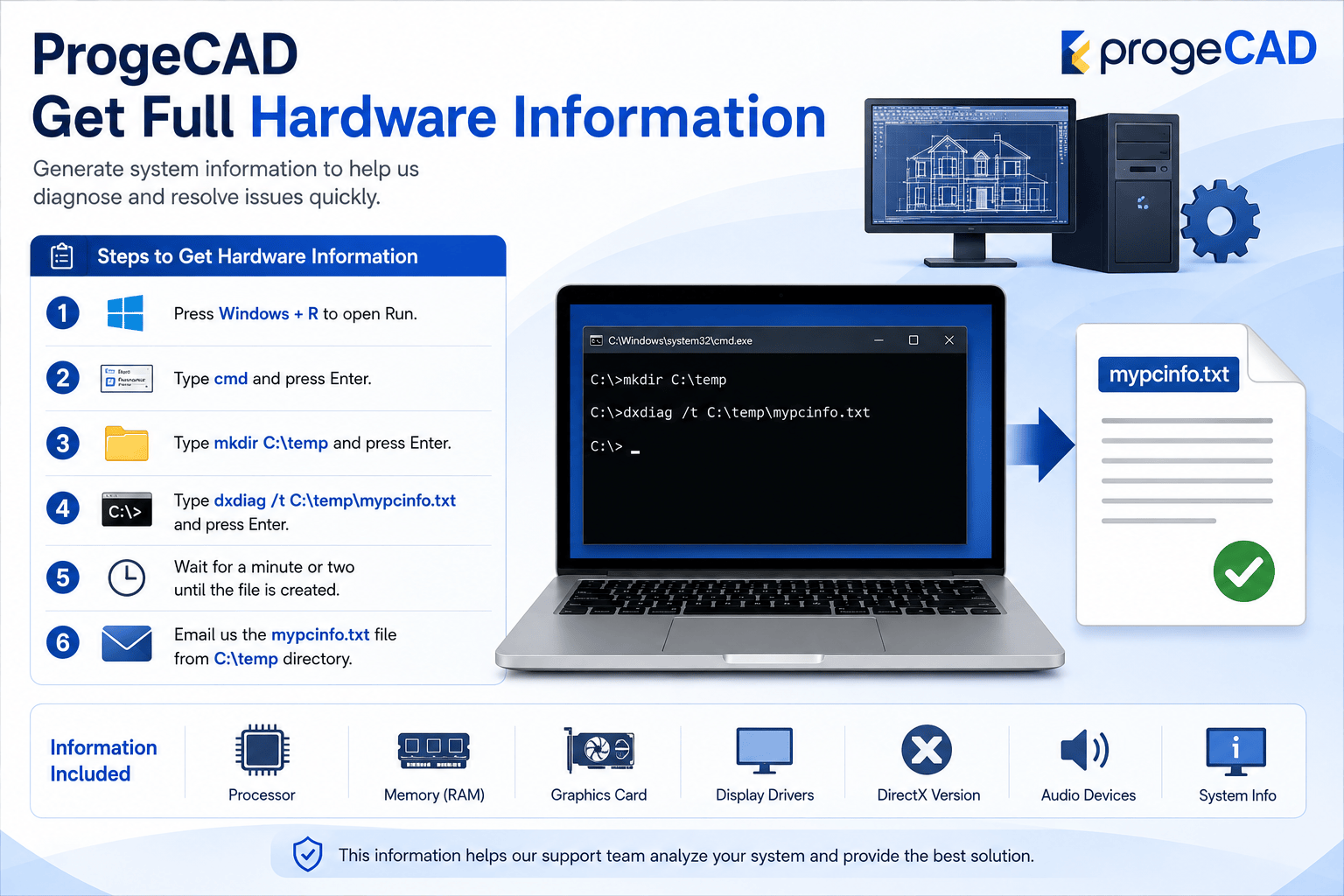
How to Get Full Hardware Information for ProgeCAD Support
If you experience graphics issues, crashes, slow performance, or display problems while using ProgeCAD, the support team may request your computer's hardware information. The easiest way to collect this information is by using the built-in Windows DirectX Diagnostic Tool (DxDiag).
The generated report includes details about your processor, memory, graphics card, display drivers, DirectX version, and other system components. This information helps identify compatibility or performance-related issues quickly.
Steps to Generate Hardware Information
- Press Windows + R to open the Run dialog.
- Type cmd and press Enter.
- Create a temporary folder by typing:
mkdir C:\temp - Generate the hardware report using:
dxdiag /t C:\temp\mypcinfo.txt - Wait until Windows finishes creating the report.
- Open the C:\temp folder and locate mypcinfo.txt.
- Send the file to the ProgeCAD support team for analysis.
What Information Does the Report Include?
- Windows version
- Processor (CPU)
- Installed RAM
- Graphics card details
- Display driver versions
- DirectX version
- Audio devices
- System configuration information
Why This Report Is Important
The DxDiag report enables the support team to diagnose graphics compatibility issues, hardware limitations, outdated drivers, and other system-related problems that may affect ProgeCAD. Providing this information helps reduce troubleshooting time and allows support engineers to recommend the most suitable solution.
Need Technical Assistance?
If you continue experiencing issues after generating the report, contact Murari Software Solutions. Our technical team can review your hardware configuration and recommend the best settings to improve ProgeCAD performance and stability.