
How to Fix LISP Program Finishing Issues in ProgeCAD
How to Fix LISP Program Finishing Issues in ProgeCAD
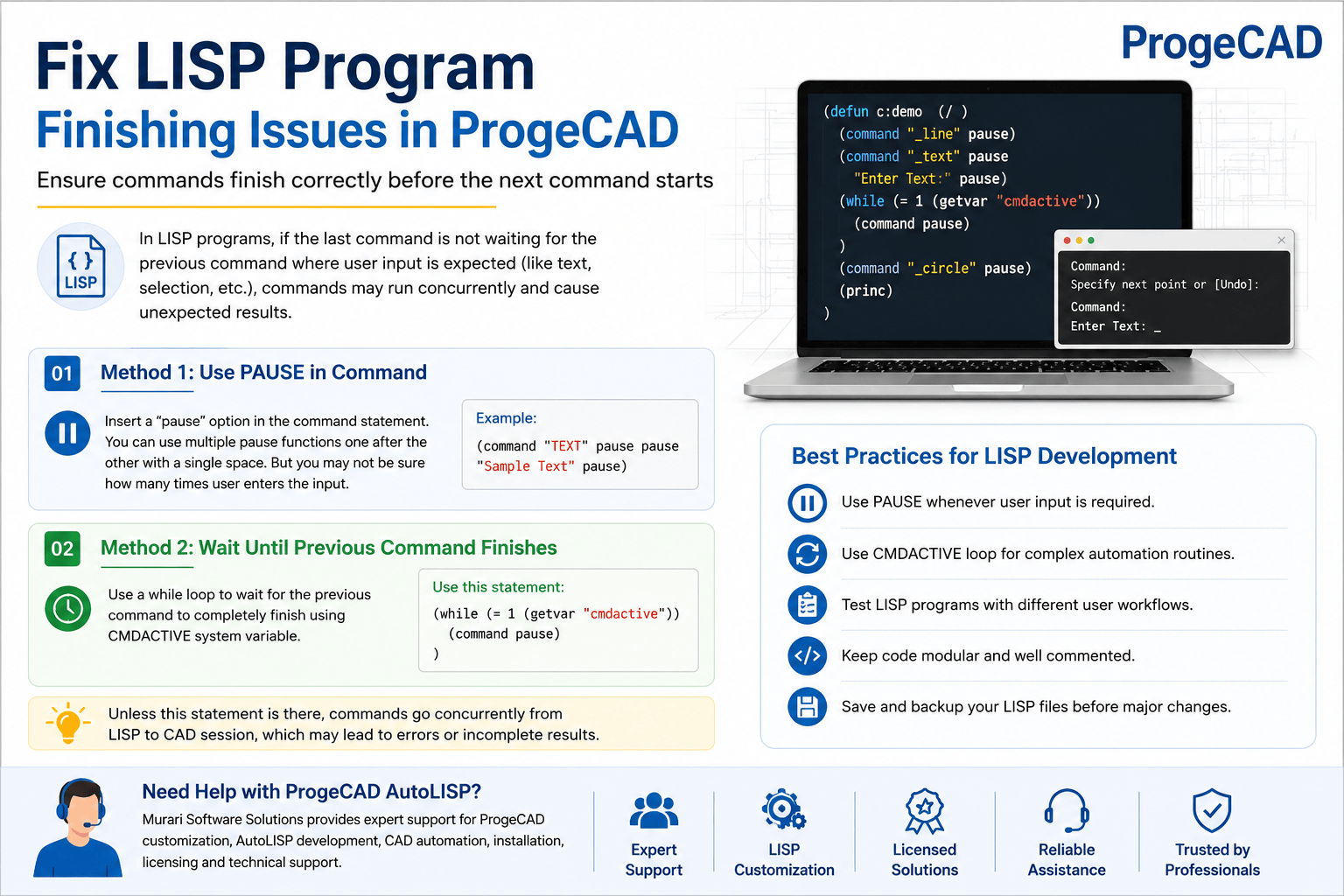
When developing AutoLISP routines in ProgeCAD, you may encounter situations where a command starts executing before the previous command has completely finished. This usually happens when the previous command is waiting for user input, such as selecting an object or entering text.
To ensure your LISP routine executes commands in the correct order, you can use one of the following methods.
Method 1: Use the PAUSE Function
If a command requires user interaction, insert the pause function within the command statement. This temporarily stops the LISP routine and waits for the user to complete the required input before continuing.
You can use multiple pause functions if several user inputs are expected. However, this approach is only suitable when you know approximately how many inputs the user must provide.
Method 2: Wait Until the Previous Command Finishes
A more reliable solution is to use the CMDACTIVE system variable. This continuously checks whether the previous command is still active and waits until it has completed.
(while (= 1 (getvar "cmdactive"))
    (command pause)
)
This loop prevents the next command from executing until the currently running command has completely finished.
Why This Is Important
Without waiting for command completion, multiple commands may run simultaneously, causing unexpected behavior, incomplete operations, or errors in your AutoLISP program. Using the CMDACTIVE method ensures your automation routines execute sequentially and reliably.
Best Practices for ProgeCAD AutoLISP Development
- Use pause whenever user input is required.
- Use the CMDACTIVE loop for complex automation routines.
- Test LISP programs with different user workflows before deployment.
- Keep AutoLISP code modular and well commented for easier maintenance.
- Save and back up your LISP files before making major modifications.
Need Help with ProgeCAD AutoLISP?
Murari Software Solutions provides expert support for ProgeCAD customization, including AutoLISP development, CAD automation, menu customization, licensing assistance, and technical support. Contact our team if you need help developing or troubleshooting ProgeCAD LISP applications.