
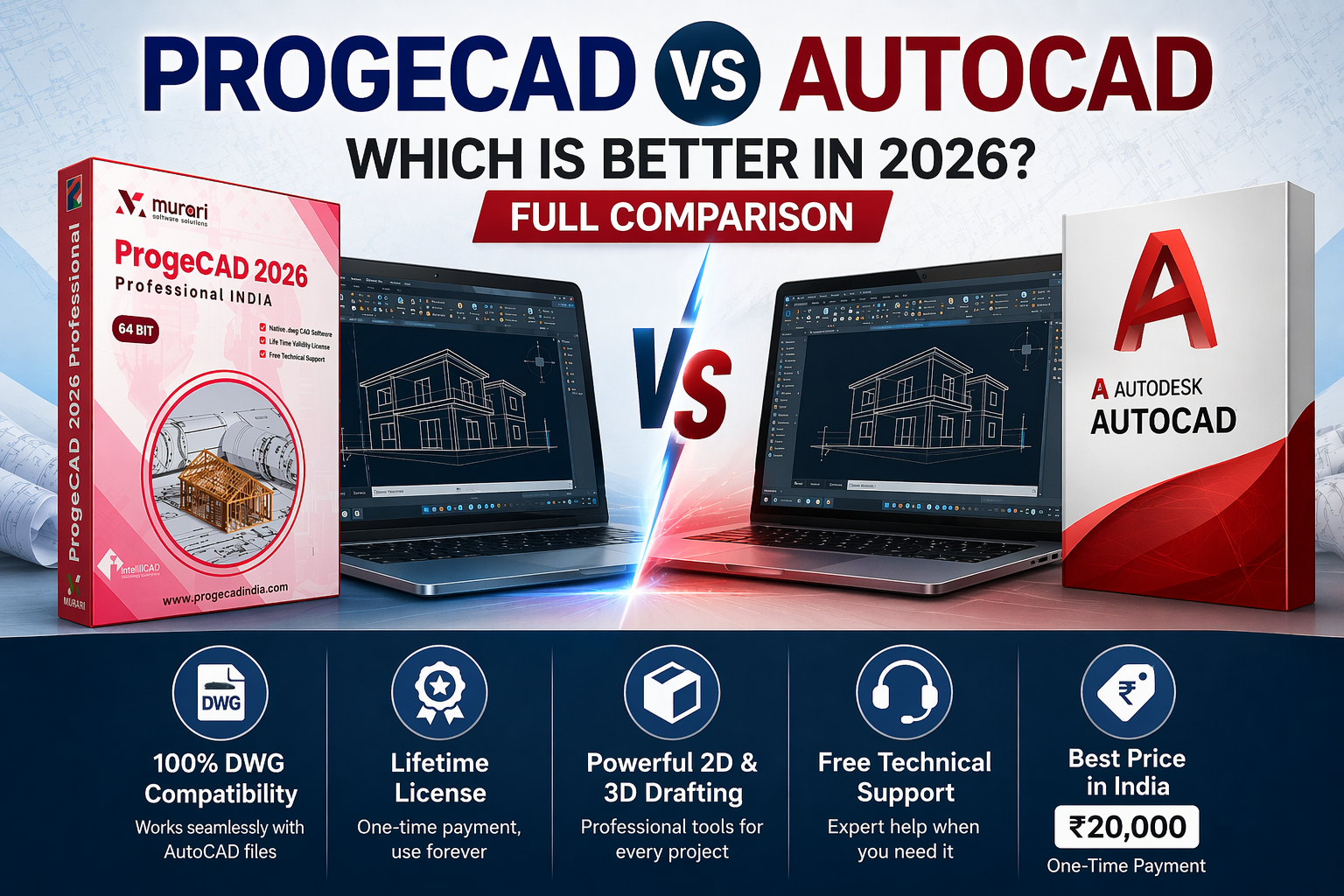
ProgeCAD vs AutoCAD®: Which Is Better in 2027?
If you are searching for professional CAD software, you may come across different searches such as Pro CAD software, ProCAD software, Prog CAD software, or ProgeCAD. If you are comparing ProgeCAD with AutoCAD®, this guide will help you understand the important differences before choosing your CAD software.
In this detailed ProgeCAD vs AutoCAD® comparison, we look at licensing, cost, DWG compatibility, 2D drafting, 3D capabilities, workflow, ease of use and the type of user each solution may suit.
Trademark Disclaimer: AutoCAD® is a registered trademark of Autodesk, Inc. ProgeCAD is an independent CAD software product and is not affiliated with, endorsed by, or sponsored by Autodesk, Inc. The names and trademarks mentioned in this article are used only to identify and compare the respective products.
Download ProgeCAD 2027 to explore the software for your own CAD workflow.
ProgeCAD vs AutoCAD®: Quick Comparison
ProgeCAD and AutoCAD® are professional CAD solutions designed for drafting and design workflows. However, they can differ significantly in licensing approach, available features, collaboration capabilities and overall cost.
| Category | ProgeCAD | AutoCAD® |
|---|---|---|
| 2D Drafting | Yes | Yes |
| 3D Design | Yes | Yes |
| DWG Workflow | Designed for DWG-based CAD workflows | Native DWG workflow |
| PDF-related CAD workflows | Available features depend on the ProgeCAD edition | PDF import and related workflows available |
| Licensing | Licensing options designed for different user needs | Subscription-based |
| Web/Mobile Workflow | Check the current ProgeCAD edition | Desktop, web and mobile options |
| Specialized Toolsets | Depends on product edition | Architecture, Mechanical, Electrical, MEP and other specialized toolsets are available with AutoCAD® |
What Is ProgeCAD?
ProgeCAD is professional CAD software designed for users who need drafting and design capabilities while working with common CAD workflows and DWG drawings.
For many individual designers, freelancers, engineers, architects, contractors and small businesses, the software can be an attractive option when the goal is to obtain professional CAD capabilities without automatically choosing the highest-cost CAD subscription.
Why Do Users Consider ProgeCAD?
- Professional 2D drafting capabilities
- 3D design capabilities
- DWG-based CAD workflows
- Familiar CAD commands and working methods
- Features designed for professional CAD users
- Licensing options aimed at different types of users
What Is AutoCAD®?
AutoCAD® is CAD software from Autodesk used for 2D drafting, documentation and 3D design. Autodesk also provides web and mobile access, collaboration capabilities, APIs and specialized toolsets for areas such as architecture, mechanical, electrical, MEP and plant design.
AutoCAD® can therefore be a strong choice for organizations that specifically need its broader ecosystem, specialized toolsets, cloud-connected workflows or existing Autodesk-based processes.
ProgeCAD vs AutoCAD® – Price and Licensing
Licensing is one of the biggest factors to consider when comparing ProgeCAD and AutoCAD®. The difference is particularly important for users who expect to keep their CAD software for several years.
AutoCAD® is offered through subscription plans, with monthly, annual and multi-year options available. Autodesk's current India store lists AutoCAD® as a subscription product.
ProgeCAD provides licensing options intended for users who want a different approach to CAD software ownership and long-term cost. Before purchasing, always check the current ProgeCAD license and edition available for your requirements.
Why Licensing Matters
The cheapest option is not automatically the best option. A better comparison is the total cost of using the software over the period you expect to work with it.
For a freelancer or small business that mainly needs professional drafting and DWG workflows, reducing recurring software costs can make a significant difference over time.
Check ProgeCAD pricing and licensing options
ProgeCAD vs AutoCAD® – DWG Compatibility
DWG compatibility is an important consideration when choosing CAD software because many professional drawings, templates and project files use DWG-based workflows.
ProgeCAD is designed around DWG-based CAD workflows, making it a practical option for users who regularly exchange drawings with other CAD users.
AutoCAD® also uses DWG as its native drawing format and provides extensive DWG-related functionality, including drawing comparison, Xref workflows and other document-management features.
If DWG compatibility is critical to your business, test your actual project files before changing CAD platforms. This is more reliable than choosing software based only on a feature checklist.
2D Drafting: ProgeCAD vs AutoCAD®
For many CAD professionals, 2D drafting is the most important part of the software. Floor plans, mechanical drawings, construction details, layouts and technical documentation can all require a dependable 2D drafting workflow.
ProgeCAD is designed to provide professional CAD drafting tools for users who need a familiar drawing-based workflow.
AutoCAD® provides extensive 2D drafting and documentation capabilities along with additional automation and collaboration tools.
If your daily work mainly involves conventional 2D drafting, dimensions, layers, blocks, layouts and DWG files, ProgeCAD can be worth evaluating as an alternative.
3D Design and Modeling
Both ProgeCAD and AutoCAD® can be used for 3D CAD workflows. However, the exact capabilities can vary by product edition and by the type of modeling or visualization required.
Users working on advanced 3D requirements should compare the specific tools they use every day rather than assuming that every CAD program provides identical 3D functionality.
PDF to CAD and Drawing Conversion
PDF drawings are common in engineering, construction and design workflows. Converting or importing PDF information into editable CAD geometry can save considerable manual drafting time.
ProgeCAD provides PDF-related CAD functionality depending on the product edition. AutoCAD® also provides PDF import capabilities, including conversion of certain PDF content into drawing objects.
If PDF conversion is an important part of your workflow, test a few of your real-world PDF drawings with the software before making a final purchasing decision.
Ease of Use and Learning Curve
Changing CAD software can be difficult when users have spent years learning a particular workflow. Commands, shortcuts, layers, blocks, dimensions, templates and plotting procedures all affect productivity.
Users already familiar with traditional CAD workflows may find ProgeCAD worth evaluating because its approach is designed around familiar CAD concepts.
The best way to judge usability is to install the software and perform a few real tasks: open existing DWG files, create a new drawing, add dimensions, use blocks, print a layout and export the final drawing.
ProgeCAD vs AutoCAD® for Small Businesses
Small businesses often have different requirements from large enterprises. A company may need reliable DWG workflows and professional drafting without necessarily needing every specialized tool or cloud feature offered by a larger software ecosystem.
For these users, ProgeCAD can be an attractive option to evaluate, particularly when long-term software cost is an important factor.
AutoCAD® may make more sense when a business specifically requires Autodesk's broader ecosystem, specialized toolsets, web/mobile access or established Autodesk workflows. Autodesk currently includes specialized toolsets and desktop, web and mobile capabilities with AutoCAD®.
ProgeCAD vs AutoCAD® for Freelancers and Individual Users
Freelancers and individual CAD professionals often need reliable drafting software but also need to carefully manage operating costs.
If your work primarily involves 2D drafting, DWG drawings, documentation and common CAD workflows, ProgeCAD is worth considering as an AutoCAD® alternative.
If you require specific Autodesk-only workflows, specialized toolsets or deep integration with Autodesk services, AutoCAD® may be the better fit.
When Should You Choose ProgeCAD?
ProgeCAD may be a good choice if you:
- Want professional CAD software for 2D drafting and design
- Regularly work with DWG drawings
- Want to explore an AutoCAD® alternative
- Prefer to evaluate different licensing approaches
- Are a freelancer or small business managing software costs
- Want to test a familiar CAD workflow before making a purchase
Download ProgeCAD 2027 and test it with your own CAD workflow.
When Should You Choose AutoCAD®?
AutoCAD® may be the better fit if you specifically need:
- Autodesk's established CAD ecosystem
- Specialized industry toolsets
- Desktop, web and mobile workflows
- Autodesk cloud-connected workflows
- Specific Autodesk APIs, apps or integrations
- Existing company standards built around Autodesk products
Autodesk currently lists Architecture, Mechanical, Electrical, Map 3D, MEP, Plant 3D and Raster Design toolsets among AutoCAD® capabilities.
ProgeCAD vs AutoCAD® – Pros and Cons
ProgeCAD Pros
- Professional CAD drafting workflow
- DWG-focused workflow
- 2D and 3D capabilities
- Worth considering for users seeking an AutoCAD® alternative
- Can be attractive for users focused on long-term software cost
Things to Consider Before Choosing ProgeCAD
- Compare the exact features in the edition you plan to purchase
- Test important DWG files before migrating
- Check compatibility with your existing CAD workflow
- Confirm the current license terms before purchasing
AutoCAD® Pros
- Extensive 2D and 3D CAD capabilities
- Large Autodesk ecosystem
- Specialized industry toolsets
- Desktop, web and mobile access
- Collaboration and automation features
- Large application and API ecosystem
Things to Consider Before Choosing AutoCAD®
- Subscription cost should be considered over the long term
- Some users may not need its complete feature ecosystem
- Users should compare the tools they actually need with the available alternatives
Which Is Better: ProgeCAD or AutoCAD®?
There is no single CAD software that is best for every user. The better choice depends on your drawings, required features, existing workflows, collaboration requirements and budget.
However, if your main priorities are professional drafting, DWG-based workflows, ease of transition and controlling long-term CAD software costs, ProgeCAD is a strong option to evaluate as an AutoCAD® alternative.
If your organization depends heavily on Autodesk's specialized toolsets, web/mobile ecosystem, collaboration capabilities or existing Autodesk infrastructure, AutoCAD® may be the more appropriate choice.
Frequently Asked Questions
Is ProgeCAD better than AutoCAD®?
It depends on your requirements. ProgeCAD can be a strong choice for users looking for professional CAD capabilities and an alternative licensing approach. AutoCAD® may be better for users who require Autodesk's specialized toolsets, ecosystem and collaboration features.
Is ProgeCAD an alternative to AutoCAD®?
Yes. ProgeCAD can be evaluated as an AutoCAD® alternative, particularly for users who need professional CAD drafting and DWG-based workflows.
Can ProgeCAD open AutoCAD® DWG files?
ProgeCAD is designed for DWG-based CAD workflows. However, users should test their actual project drawings, blocks, references, fonts and other drawing dependencies before migrating a production workflow.
Which is cheaper, ProgeCAD or AutoCAD®?
The answer depends on the current edition, license and purchasing terms. AutoCAD® is offered through subscription plans. Users comparing total long-term cost should compare the actual license price and renewal costs for the period they expect to use the software.
Can beginners use ProgeCAD?
Yes. ProgeCAD can be suitable for beginners who want to learn professional CAD drafting. As with any CAD software, the learning curve depends on the user's previous CAD experience and the complexity of the projects.
Does ProgeCAD support 2D and 3D CAD?
ProgeCAD provides 2D drafting and 3D CAD capabilities. Check the current product edition to confirm the specific tools included before purchasing.
Should I switch from AutoCAD® to ProgeCAD?
If reducing software costs or evaluating an alternative CAD workflow is important to you, ProgeCAD is worth testing first. Open your real DWG projects, check your templates and fonts, test plotting and verify the commands your team uses every day before making a complete migration.
Final Verdict: ProgeCAD vs AutoCAD®
Both ProgeCAD and AutoCAD® are capable CAD solutions, but they target users with different priorities.
AutoCAD® offers a broad professional ecosystem with specialized toolsets, collaboration features, web and mobile capabilities and automation technologies. :contentReference[oaicite:1]{index=1}
ProgeCAD, meanwhile, is worth considering for CAD users who want professional drafting and DWG-focused workflows while evaluating alternatives to a subscription-centered CAD ecosystem.
The best way to decide is to test your own drawings and daily workflow rather than relying only on a feature comparison.
Download ProgeCAD 2027 and see how it fits your CAD requirements.
Final Trademark Disclaimer: AutoCAD® is a registered trademark of Autodesk, Inc. This website and ProgeCAD are not affiliated with, sponsored by, endorsed by, or otherwise associated with Autodesk, Inc. This article is an independent comparison intended for informational purposes.