
Some AutoLISP Programs Not Working in ProgeCAD? Complete Troubleshooting Guide
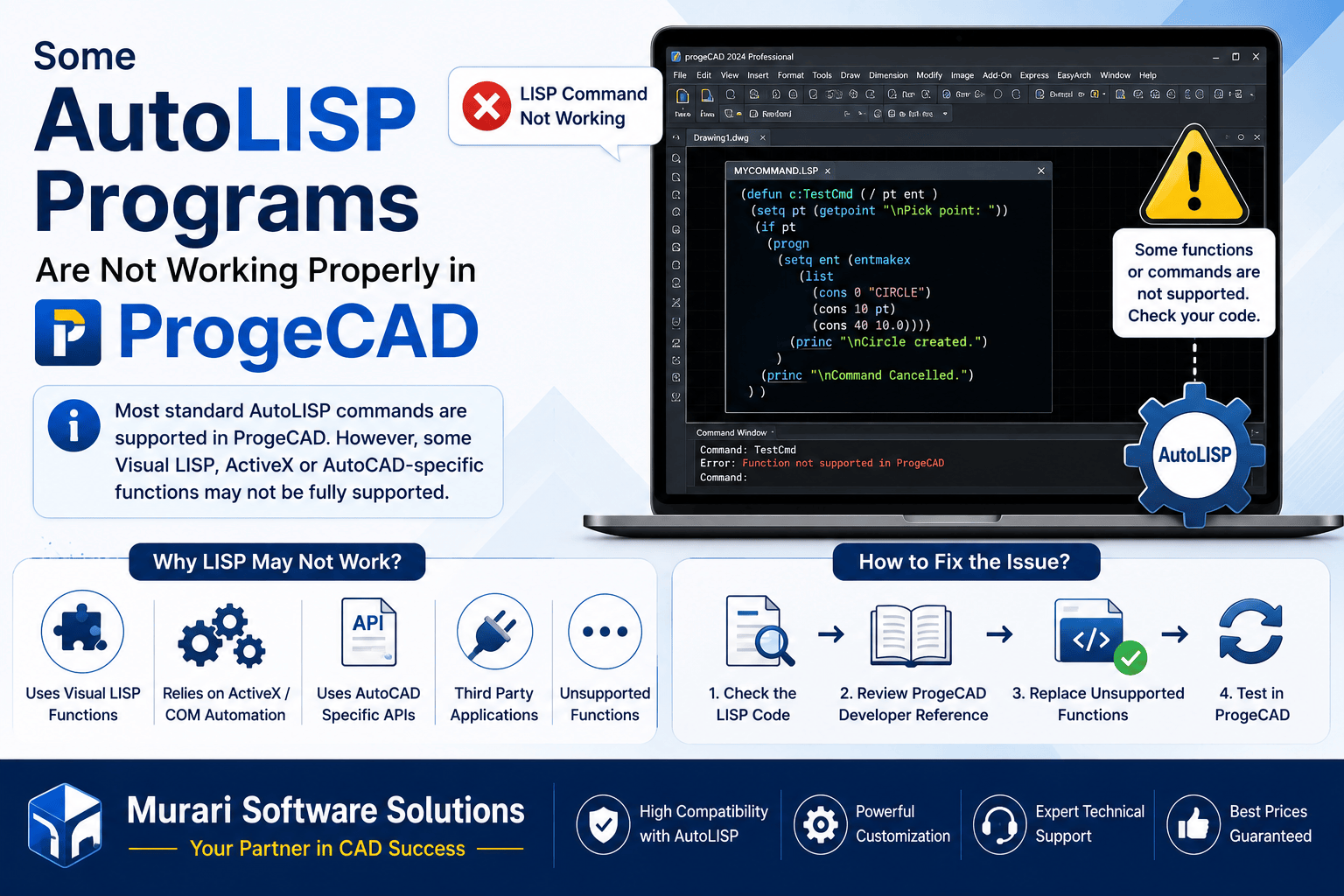
Some AutoLISP Programs Are Not Working Properly in ProgeCAD
ProgeCAD offers excellent compatibility with AutoCAD® and supports a wide range of AutoLISP programs. Most standard AutoLISP routines run without any modifications, making it easy for users to migrate existing workflows from AutoCAD® to ProgeCAD.
However, some advanced AutoLISP applications may not work exactly as expected. This usually happens when the program uses Visual LISP functions, ActiveX automation, COM interfaces, or AutoCAD®-specific APIs that are not fully supported in ProgeCAD.
Why Some AutoLISP Programs Do Not Work
Standard AutoLISP commands are generally compatible with ProgeCAD. Problems usually occur only when a program relies on Visual LISP extensions or AutoCAD®-exclusive functions.
Examples include:
- Visual LISP functions.
- ActiveX or COM automation.
- AutoCAD®-specific object methods.
- Unsupported Developer API functions.
- Third-party AutoCAD® plugins.
Common Symptoms
- LISP command does not start.
- Error messages appear after loading the LISP file.
- Certain commands work while others fail.
- Objects are not created correctly.
- Automation routines stop unexpectedly.
- Visual LISP functions return errors.
How to Troubleshoot
- Confirm that the LISP file loads successfully.
- Test the routine with a simple drawing.
- Identify the command or function causing the error.
- Check whether the routine uses Visual LISP or ActiveX functions.
- Compare unsupported functions with the ProgeCAD Developer Reference.
- Replace unsupported functions with compatible alternatives whenever possible.
- Reload the modified LISP file and test again.
Best Practices
- Use standard AutoLISP functions whenever possible.
- Avoid AutoCAD®-exclusive APIs if compatibility is important.
- Test custom LISP routines before deploying them across multiple users.
- Keep your ProgeCAD installation updated to benefit from improved compatibility.
- Maintain backup copies before modifying existing LISP programs.
Frequently Asked Questions
Does ProgeCAD support AutoLISP?
Yes. ProgeCAD supports most standard AutoLISP commands and routines used in AutoCAD®.
Why does my Visual LISP program fail?
Some Visual LISP functions and AutoCAD®-specific APIs are not fully supported. The code may need minor modifications for compatibility.
Can existing AutoCAD® LISP files be used?
In most cases, yes. Standard AutoLISP files work without changes. Only advanced Visual LISP features may require updates.
Where can I verify supported functions?
Use the ProgeCAD Developer Reference documentation to compare supported AutoLISP and Visual LISP functions before modifying your code.
Conclusion
Most AutoLISP routines run successfully in ProgeCAD, making it an excellent CAD platform for users migrating from AutoCAD®. If a custom LISP program does not work properly, the issue is typically related to Visual LISP or AutoCAD®-specific functions. Reviewing the code, replacing unsupported functions, and following the ProgeCAD Developer Reference will resolve most compatibility issues.
If you need assistance with AutoLISP compatibility or migrating custom CAD automation to ProgeCAD, Murari Software Solutions can help you troubleshoot and optimize your LISP applications.