ProgeCAD India – Price, Download & Official Partner
ProgeCAD India is one of the best AutoCAD alternatives offering affordable CAD software with a one-time license. If you are searching for ProgeCAD price in India, download options, or official support, this page provides complete details.
At progecadindia.com, you can download the latest version, explore pricing, and get complete support. Whether you are an engineer, architect, or designer, ProgeCAD delivers high performance without recurring subscription costs.
Why Choose ProgeCAD in India?
ProgeCAD is one of the best AutoCAD alternatives available in India, offering powerful 2D drafting and 3D modeling tools at a one-time cost. Unlike subscription-based CAD software, ProgeCAD provides a perpetual license, making it highly cost-effective for engineers, architects, and designers.
With full DWG compatibility, users can easily open, edit, and save AutoCAD files without conversion issues. The software also includes advanced features like PDF to DWG conversion, BIM file support, and rendering tools.
Key Features of ProgeCAD
- ✔ 100% DWG Compatibility
- ✔ Perpetual License (No yearly fees)
- ✔ PDF to DWG Converter
- ✔ 2D Drafting & 3D Modeling
- ✔ Supports AutoCAD commands
Key Clients


Latest ProgeCAD Guides
Top 10 Benefits of ProgeCAD Professional
-
1Perpetual Licensing! No annual fee. You decide when to upgrade
-
2Nothing to learn for an AutoCAD® user
-
3Work natively with DWG! Full compatibility with AutoCAD® without conversion
-
4Import BIM projects and objects (Autodesk Revit® and IFC) and SolidWorks Models
-
5PDF to DWG (PDF2DWG) conversion included
-
6Dynamic Blocks Insertion/Creation/Editing
-
7Export to Google Earth®
-
8Create architectural layouts in a flash with the AEC parametric plug-in
-
922.000 blocks ready to use + customizable blocks manager
-
10Professional Artisan Render Engine included
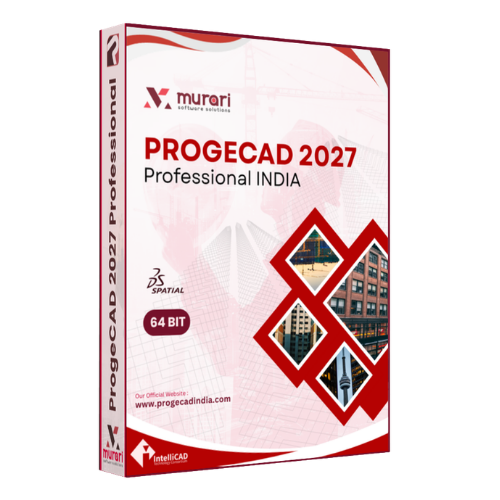
ProgeCAD 2027 Professional INDIA
ProgeCAD is a cost-effective 2D drafting and 3D Modeling CAD software which supports industry popular dwg & dxf file formats. The technology behind ProgeCAD is IntelliCAD 14.1 engine which offers best performance.
ProgeCAD 2027 Professional is based on latest IntelliCAD 14.1 engine. There are many new features like Ribbon GUI, Select Similar, multi-core support, point cloud import, workspaces, improved speed & performance etc.ProgeCAD Price in India
ProgeCAD offers affordable pricing in India with a one-time license fee. No monthly or yearly subscription is required.
Starting at ₹20,000*
*Price may change based on version and offersDownload ProgeCAD
You can download the latest version of ProgeCAD and start your free trial today. Experience powerful CAD tools with full support from our India team.
Download Free TrialProgeCAD Capabilities
Architecture Design
-
Drag 2D lines and generate 3D walls
-
Super Hatch and Gradient Hatch
-
Photo-realistic rendering
-
Material Library with customization

Industrial
-
IGES & STEP Import and Export
-
Capture CAS points CSU
-
Xref Manager

Customer Testimonials
ProgeCAD Professional - Tutorial

Attach/Import BIM files - Revit®/IFC
Learn how to import or to attach BIM files? You can attach or import RVT, RFA, and IFC File Format.

Artesian Render Module
Learn the basics of the Artesian Render module. You to create a photorealistic image of your model quickly using a wide range of pre-set materials

Architecural AEC Module - Overview
The new 2D/3D architectural plugin, compatible with AutoCAD® Architecture to draw 3D architectural elements with a two-dimensional view in plan.
Latest Orders
- * ECOVITA TECHNICAL SOLUTIONS PRIVATE LIMITED, Dt.:02-Jul-2026
- * Mincem Engg Consultants Pvt Ltd., Dt.:02-Jul-2026
- * HT Systems Private Limited, Dt.:02-Jul-2026
- * S62 Developers, Dt.:01-Jul-2026
- * Urbanus Associates Pvt Ltd, Dt.:30-Jun-2026
- * Dera Consultants Private Limited, Dt.:30-Jun-2026
- * EMNAS TECHNOLOGIES PRIVATE LIMITED, Dt.:30-Jun-2026
- * Castech Foundries Pvt. Ltd., Dt.:30-Jun-2026
- * NETWORKMINDS SOLUTIONS PRIVATE LIMITED, Dt.:30-Jun-2026
- * NIPHA LIMITED, Dt.:29-Jun-2026
New Features and Improvements
Learn the basics of the Artisan Render module. You can create a photorealistic image of your model quickly using a wide range of pre-set materials.
Performance and stability enhancements across several tools. Improved support for external references and faster rendering speed.
Latest News
View AllProgeCAD 2027 Released – Smarter CAD
Dt. 09-Jun-2026ProgeCAD 2027 Released: Faster, Smarter and More Powerful CAD Experience
Murari Software Solutions is excited to announce the latest release of ProgeCAD 2027 Professional
ProgeCAD 2026 New Update 26.0.12 Release
Dt. 30-Mar-2026ProgeSOFT has released Update 26.0.12 to the English version of progeCAD 2026. We draw attention of the sales partners who use the Customized Setup that now it is crucial to update it using the new
ProgeCAD India Price Revisions
Dt. 13-Jan-2026ProgeSOFT, Italy announces about Price increase of all ProgeCAD licenses in India with effect from 1st February, 2026. This is mainly due to increased technology Royalties globally and changes to c
FAQs
-
Is ProgeCAD better than AutoCAD?
ProgeCAD is a cost-effective alternative to AutoCAD with similar features and full DWG compatibility, making it ideal for professionals looking to save costs.
-
What is the price of ProgeCAD in India?
ProgeCAD is available in India at an affordable one-time cost, typically starting around ₹20,000 depending on version and offers.
-
Can I download ProgeCAD for free?
Yes, you can download a free trial version from our website and explore all features before purchasing.
Explore ProgeCAD
Learn more about ProgeCAD pricing, comparison and support services in India.
ProgeCAD Price India
Check ProgeCAD license options, pricing details and buying information.
View Price