Is progeCAD Better Than AutoCAD LT? Full CAD Comparison
08-May-2026
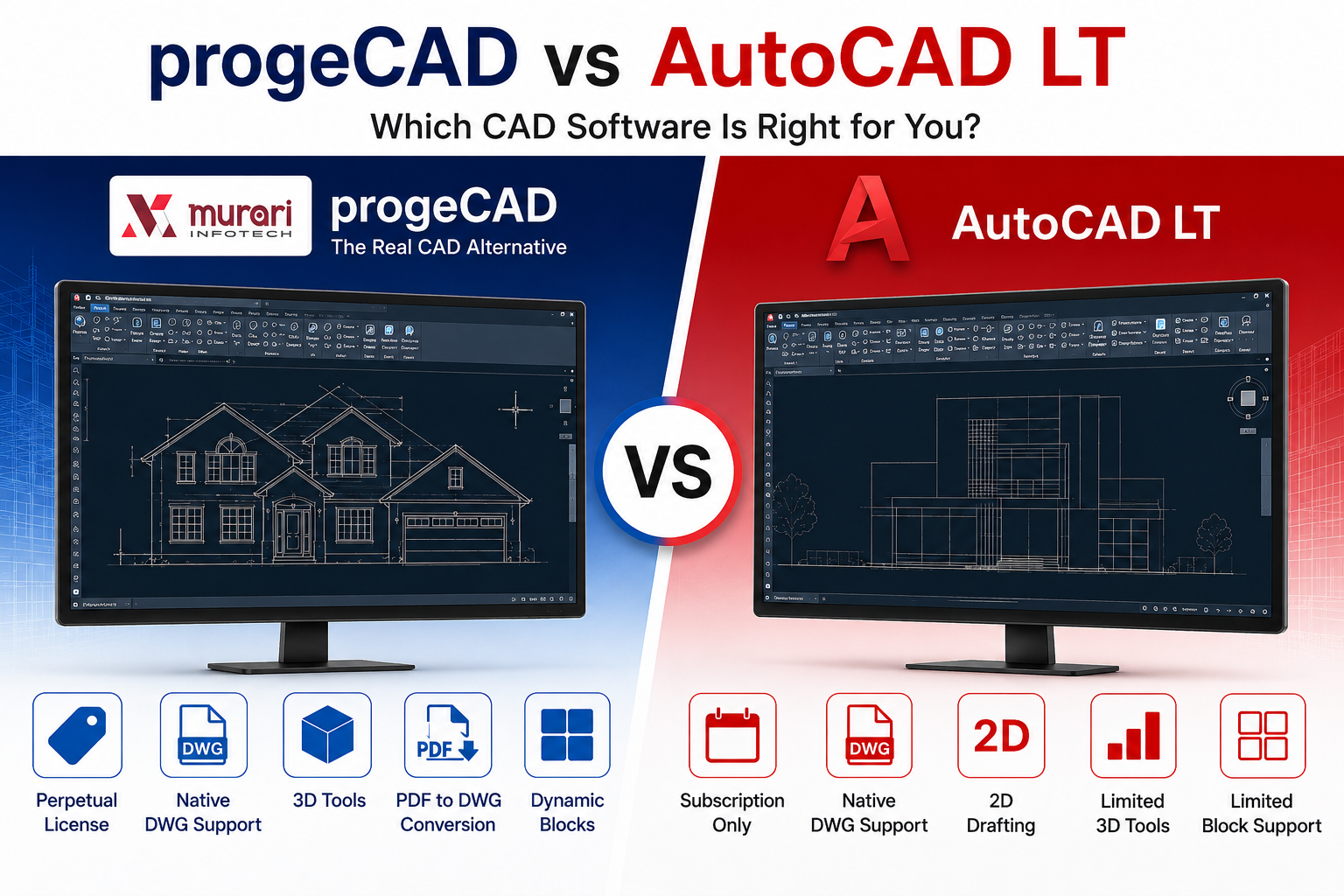
Is progeCAD Better Than AutoCAD LT?
AutoCAD LT has been a popular drafting software for professionals who need reliable 2D CAD tools. However, many architects, engineers, and designers are now looking for cost-effective alternatives that provide more features without expensive subscription fees.
One of the most discussed alternatives is progeCAD. Built as a DWG-native CAD software, progeCAD offers an AutoCAD-like experience, perpetual licensing, and additional tools that appeal to both individuals and businesses.
So, is progeCAD actually better than AutoCAD LT? The answer depends on your workflow, budget, and feature requirements. In this comparison, we break down the major differences to help you decide.
progeCAD vs AutoCAD LT: Quick Comparison
| Feature | progeCAD | AutoCAD LT |
|---|---|---|
| License Type | Perpetual License | Subscription Only |
| DWG Compatibility | Native DWG | Native DWG |
| 2D Drafting | Yes | Yes |
| 3D Support | Basic 3D Tools | Limited |
| Dynamic Blocks | Supported | Limited |
| PDF to DWG | Included | Limited |
| Subscription Requirement | No | Yes |
| AutoCAD-like Interface | Yes | Native Autodesk UI |
1. Pricing and Licensing
One of the biggest differences between progeCAD and AutoCAD LT is the licensing model.
AutoCAD LT operates on a recurring subscription system, meaning users must continue paying yearly or monthly fees to maintain access. For freelancers and small businesses, these ongoing costs can become expensive over time.
progeCAD, on the other hand, offers a perpetual license. Users pay once and can continue using the software without mandatory annual payments. This makes progeCAD attractive for businesses looking to reduce long-term CAD expenses.
2. DWG Compatibility
Both progeCAD and AutoCAD LT support DWG files natively, which is essential for professional CAD workflows.
progeCAD is designed to work with AutoCAD-compatible commands, file formats, and workflows. This allows users to open, edit, and save DWG drawings without conversion issues.
For professionals collaborating with AutoCAD users, this compatibility is a major advantage.
3. Features and Functionality
AutoCAD LT focuses mainly on 2D drafting. While it performs well for drafting tasks, it lacks many advanced tools available in full AutoCAD versions.
progeCAD includes several additional features that many users consider valuable, including:
- PDF to DWG conversion
- Dynamic block support
- Basic 3D capabilities
- BIM and IFC import support
- Advanced drafting tools
- AutoLISP compatibility
For users who need more than basic drafting tools, progeCAD may provide better overall value.
4. Ease of Transition from AutoCAD
Many professionals switching from AutoCAD LT prefer software that feels familiar. progeCAD is designed with an AutoCAD-like interface, including similar menus, commands, icons, and workflows.
This reduces the learning curve and allows teams to transition quickly without extensive retraining.
5. Performance and Usability
Both programs are capable CAD solutions, but performance may vary depending on hardware and project complexity.
AutoCAD LT benefits from Autodesk’s ecosystem and optimization, while progeCAD is often praised for offering strong performance at a lower cost.
For small and medium-sized projects, many users find progeCAD more than sufficient for daily drafting tasks.
6. When AutoCAD LT May Be the Better Choice
Although progeCAD offers strong value, AutoCAD LT may still be preferable in certain situations.
AutoCAD LT can be a better option for:
- Companies deeply integrated into the Autodesk ecosystem
- Large enterprises with Autodesk workflows
- Teams requiring official Autodesk support
- Organizations using multiple Autodesk products together
7. Who Should Choose progeCAD?
progeCAD is an excellent option for:
- Freelancers
- Small engineering firms
- Architects and designers
- Users seeking perpetual licenses
- Businesses reducing software subscription costs
- Users needing DWG compatibility without AutoCAD pricing
Final Verdict
So, is progeCAD better than AutoCAD LT?
For many users, especially freelancers and small businesses, the answer can be yes. progeCAD offers strong DWG compatibility, additional drafting features, perpetual licensing, and lower long-term costs.
However, AutoCAD LT still remains a strong choice for organizations heavily invested in Autodesk products and enterprise-level workflows.
If your goal is to find an affordable AutoCAD LT alternative without sacrificing core CAD functionality, progeCAD is definitely worth considering.
Frequently Asked Questions
Is progeCAD compatible with AutoCAD files?
Yes, progeCAD supports native DWG files and is designed for compatibility with AutoCAD workflows.
Does progeCAD require a subscription?
No, progeCAD offers perpetual licensing, allowing users to pay once and use the software without mandatory subscriptions.
Can progeCAD replace AutoCAD LT?
For many drafting and design workflows, progeCAD can serve as a cost-effective alternative to AutoCAD LT.
Does progeCAD support 3D drafting?
Yes, progeCAD includes basic 3D CAD capabilities in addition to standard 2D drafting tools.
Start Today